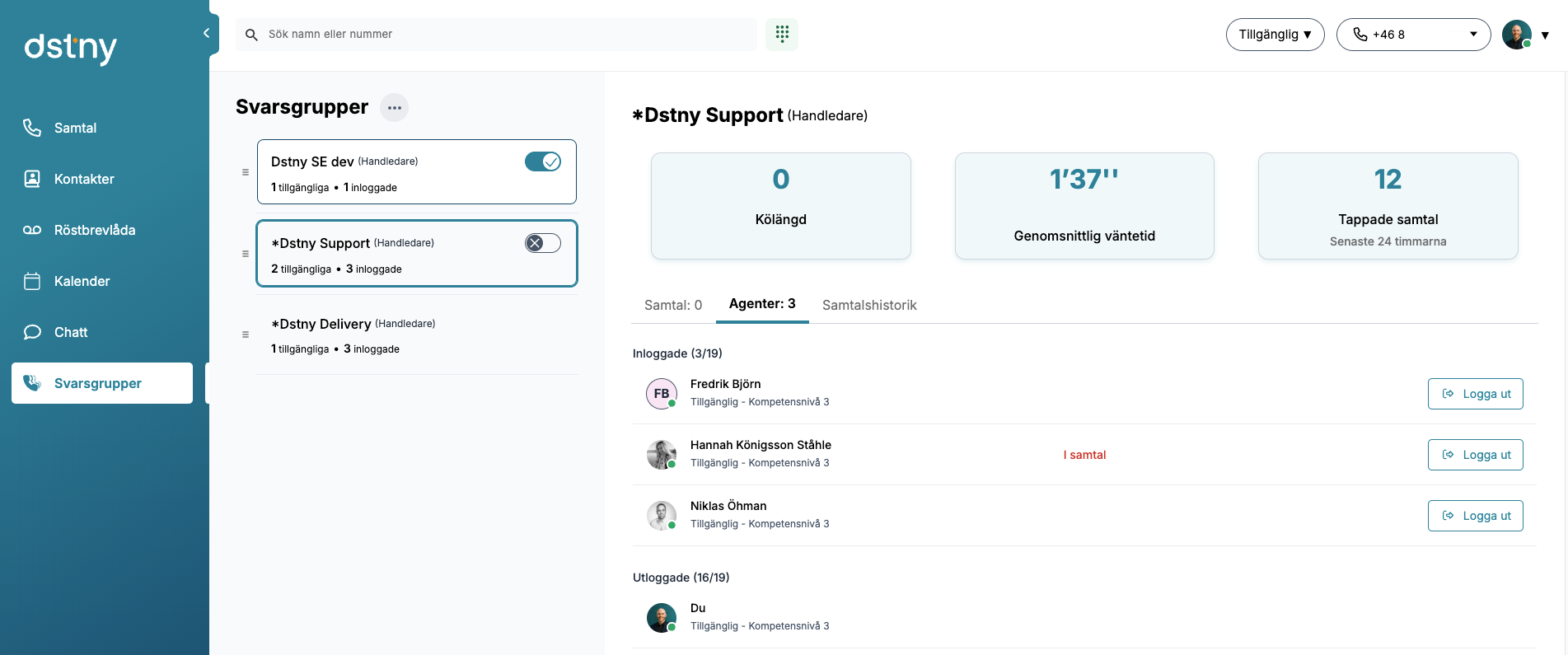
The Queues/ACD tab is for agents and supervisors who handle calls in group queues. It shows the queues you belong to or supervise, who is available, and which calls are waiting.
The queue list
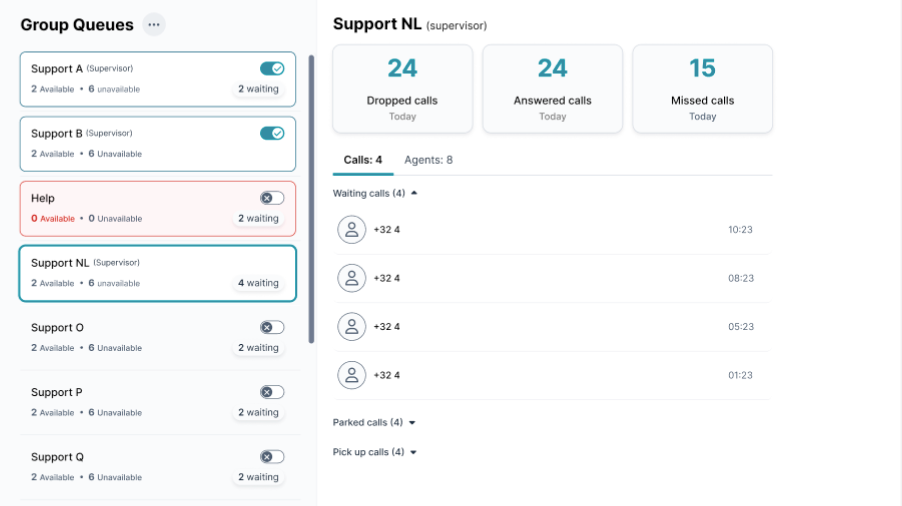
Each queue card shows:
-
whether you are an agent or a supervisor of the queue
-
Free: agents in the queue ready to take calls
-
Logged in: agents who are logged in
-
Waiting: calls in the queue that nobody has answered yet
When a card is red, no calls are waiting in that queue. Callback requests count as waiting on the card, but they do not appear in the list of waiting calls, because you cannot pick them up.
Log in and out of a queue
Use the toggle on the queue card. If you are a supervisor of a queue but not a member, the toggle is not shown.
Who is in the queue
Click a queue to see its agents. You see whether each agent is logged in, their availability and their skill levels. Supervisors can also log agents in and out.
Waiting calls and picking up calls
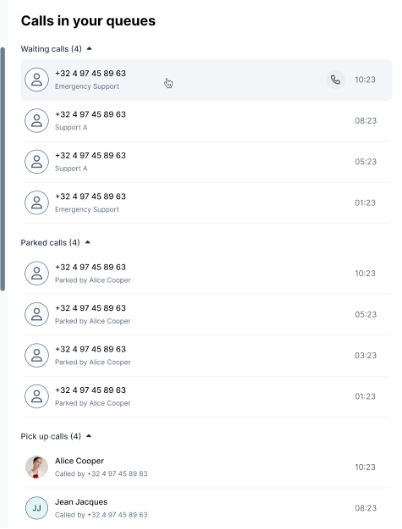
There are three kinds of calls you can take:
-
Calls waiting in a queue. If you select no queue, you see the waiting calls of all your queues together. If you select one, you see only that queue's calls, and the list of agents moves to another tab.
-
Parked calls. These do not depend on which queue you select. You see all parked calls available to you.
-
Calls that can be picked up. These also do not depend on the selected queue. You see all calls you can intercept.
Click a call to answer it right away.
Queue call history
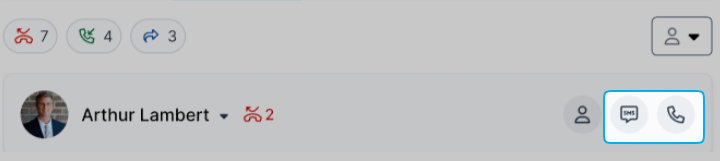
Agents and supervisors can view the call history of each queue: which calls were answered, which were not, and which were transferred to another number. Highlight a call to call the person or send an SMS. Numbers are grouped to keep the list clear. If your system uses metadata, extra information shows up on each call.

Handle missed calls
Missed calls can be assigned for a callback.
-
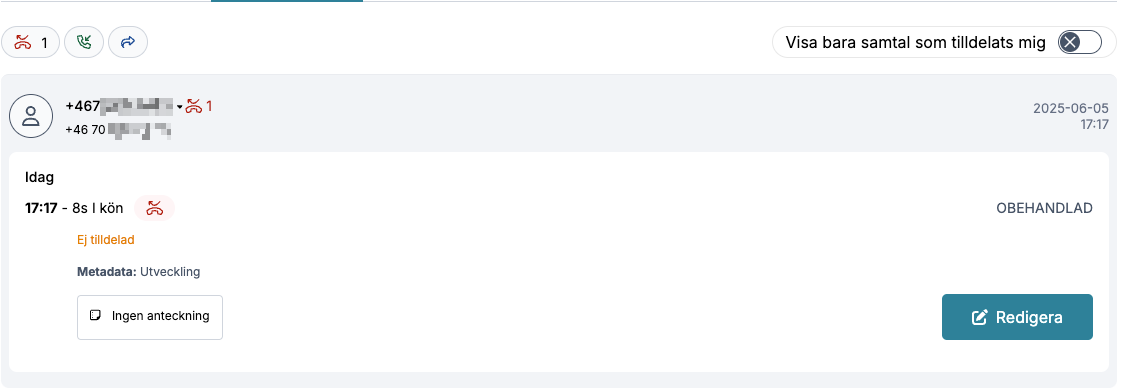
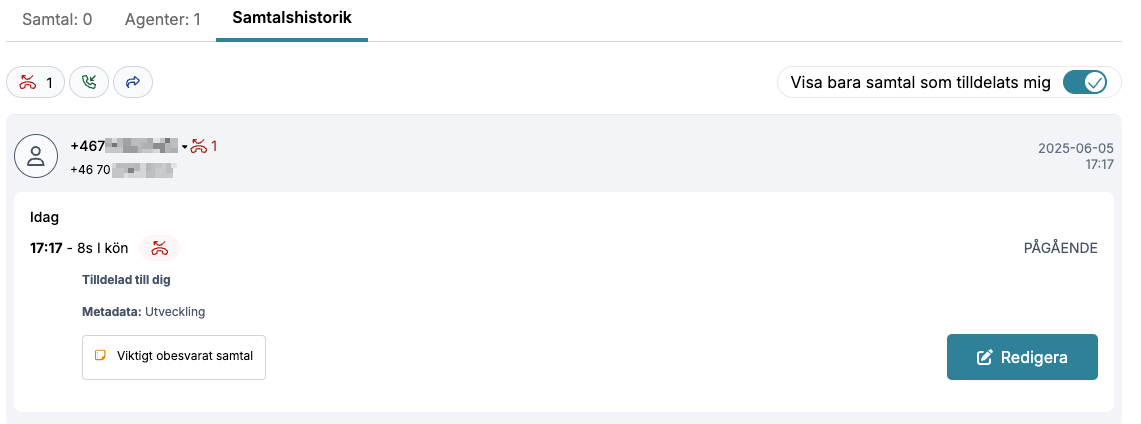
A supervisor can assign a call to an agent and add a note. Agents can also assign a call to themselves.
-
The agent filters the list with "only assigned calls to me". This shows calls in the state UNHANDLED or IN PROGRESS. Calls marked HANDLED are hidden.
-
After the callback, the agent updates the status and adds a note.
Statistics for supervisors
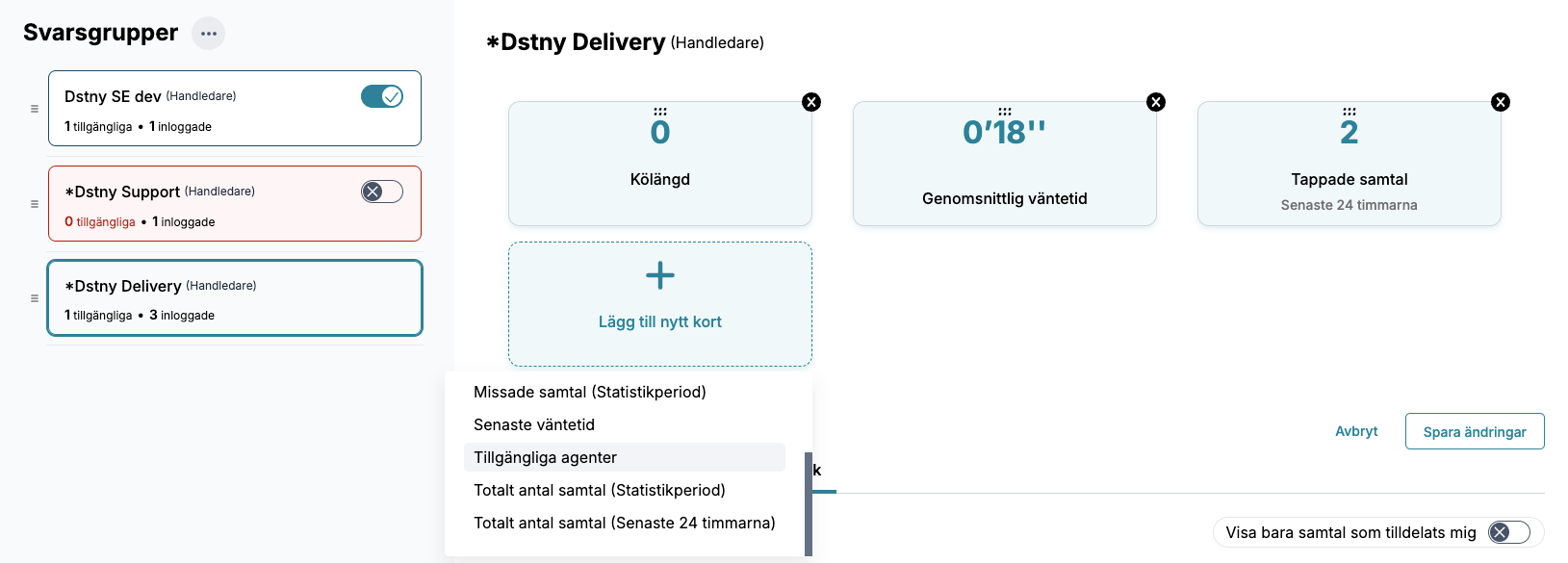
Statistics are only visible with a supervisor licence. By default ConnectMe shows three boxes, and supervisors can choose which statistics to show.
Online data:
-
Available agents and logged in agents.
-
Queue length: how many people are waiting now.
-
Longest waiting: how many seconds the first person in the queue has waited. It is 0 if nobody is waiting.
Data for a set period (marked with * in Core):
-
Average wait: the average wait of answered calls (total queue time divided by the number of answered calls).
-
Last wait: the wait of the last caller whose call was answered.
-
Total calls: all calls to the number, including dropped calls, fallbacks and forwarded numbers.
-
Dropped calls: calls that failed.
-
Answered calls: calls that were answered.
Generic data for a running 24 hour period: answered calls and dropped calls.
If the queue is not used during the set period, the values are 0. The period is set per queue (function number) in Dstny Core. Twelve hours is common, and one hour is better if you want to see short-term trends. Times are shown as minutes and seconds (XX'YY'') instead of seconds only.
Add, remove or reorder statistics
-
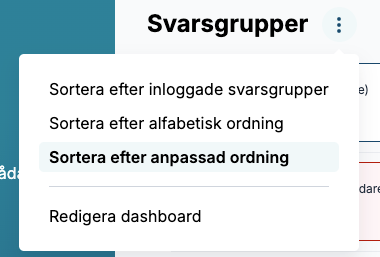
Click the hamburger menu next to the title "Group Queues" and select "Edit dashboard".
-
Add or delete statistics.
-
To reorder, click the six dots on a statistic and drag it to its new place.