

Dstny Core offers several kinds of call recording, and ConnectMe supports all of them. Which one you have depends on how your administrator set up your account.
Types of recording
-
Personal Call Recording. A media server records the call and you start and stop the recording yourself. You listen to recordings in ConnectMe.
-
UC Analytics Call Recording. Supports pause and resume, recording on demand and more. You listen to recordings in another portal.
-
Premium Call Recording (Tollring). Works like UC Analytics, except that it does not support recording on demand. You listen to recordings in another portal.
Control a recording during a call
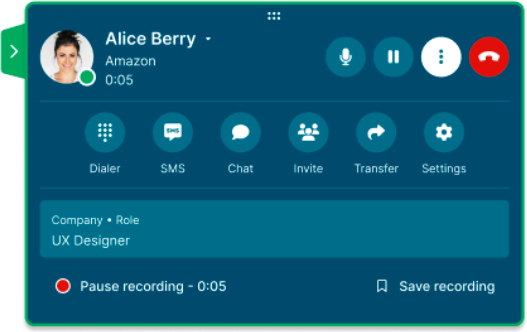
Depending on your setup, the call widget lets you:
-
save or unsave the recording
-
pause and resume the recording
Listen to your recordings
-
Click Recordings in the left menu.
-
What happens next depends on your account:
-
With Tollring only, ConnectMe sends you to the external Tollring portal.
-
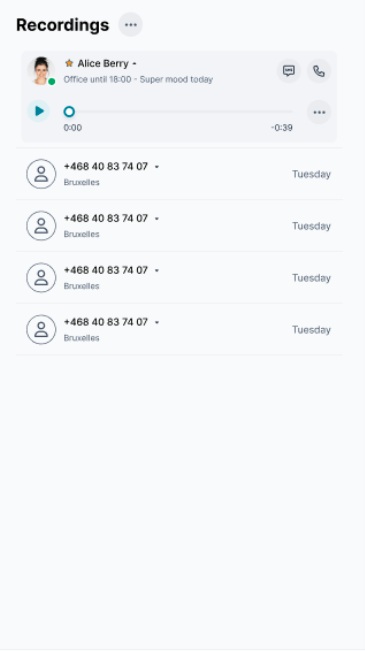
With Personal Call Recording only, you see a list of your recorded calls and can play them in ConnectMe, the same way as voicemails.
-
With both, you see your recorded calls and a link to the other portal in the top right corner.
-

If you do not see Recordings in the menu, ask your administrator whether recording is enabled for your user.