

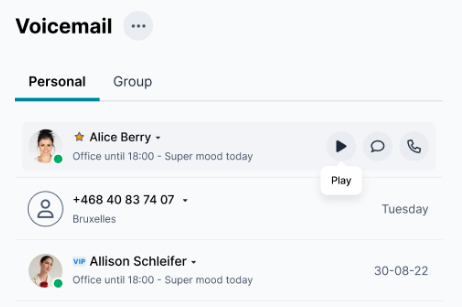
The Voicemail tab shows your personal voicemails and the voicemails of the groups you belong to. Both work the same way.
Read your voicemail list
-
The number next to the menu title is the count of unread voicemails.
-
A red dot next to the date and time means you have not listened to that message yet.
-
Click the play button to listen.
-
Click the name to expand the message. You can then play, pause or delete it.
In Recents you can also see when someone left a voicemail.
If you switch to another view while a message plays, a small player appears at the bottom so you can keep listening. If a call comes in while you listen, the message stops and the phone rings. Click play to continue the message.
Turn personal voicemail on or off
If you have the right permissions:
-
Click the three dots menu.
-
Select "Stop receiving voicemail".
-
To turn it on again, click "Reactivate voicemail".
Unheard messages stay in your list after you turn voicemail off.
Group voicemail
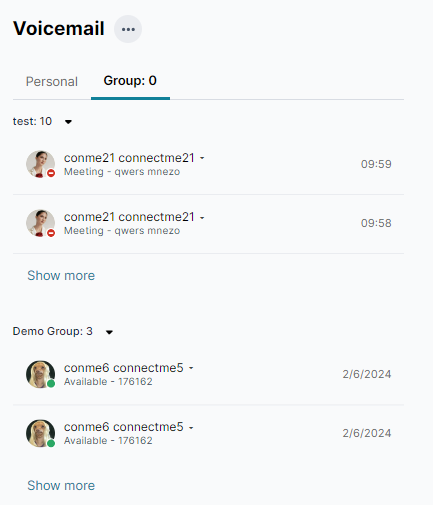
Group voicemails appear in the Group tab, sorted by group. To keep the view clear, ConnectMe shows only the first two groups. Click "Show more" to see all voicemails of a group.
Change your voicemail PIN
You can change your PIN in Settings > Security. See the ConnectMe Settings guide.