

Recents lists all your calls in chronological order, newest first.
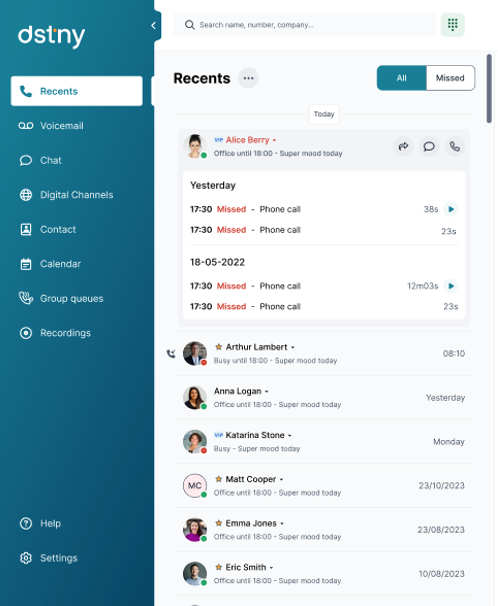
What each line shows
-
The caller's first and last name, if the caller is in your address book. If not, you see the number.
-
A small arrow, for callers in your address book, that expands the date, time and duration of the call.
-
A voicemail indicator if the caller left a message.
What you can do
Highlight a call to call the person back or send them an SMS.
To save a number you do not know, edit the entry and click the plus icon to add it as a personal contact. See the Managing Contacts in ConnectMe guide.
To see the history of a queue instead of your own calls, see the Working in Queues (ACD) guide.