

With VoIPcube, a call pop-up shows the matching contact and company from Upsales when someone calls you. Dstny connects VoIPcube to your Upsales for you.
What the pop-up shows
-
The contacts that match the caller's phone or mobile number.
-
The company of each contact.
-
The custom fields of the contacts and of their companies, shown as lists.
-
A link to each contact and each company in Upsales.
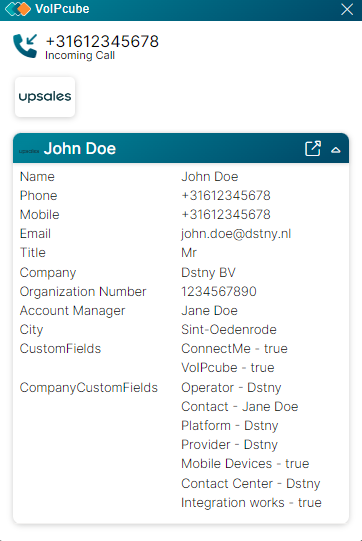
If no contact matches, VoIPcube looks for a company with the same phone number.
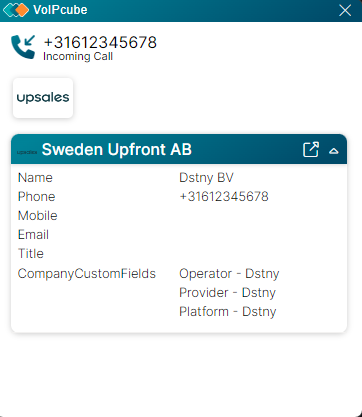
If nothing matches, no pop-up appears. Dstny can set VoIPcube to show a pop-up in that case too.
How a caller is matched
VoIPcube needs an exact match. Upsales has a limitation that makes the format important. Save the phone number on the contact in the international format with the country code and no spaces, for example +46701234567. If a number you expect to match does not, check that it has no spaces and starts with the country code.
What Dstny needs from you
Dstny needs two values:
-
An API key.
-
Your Upsales ID.
Turn on the API
The API must be turned on before you can create a key.
-
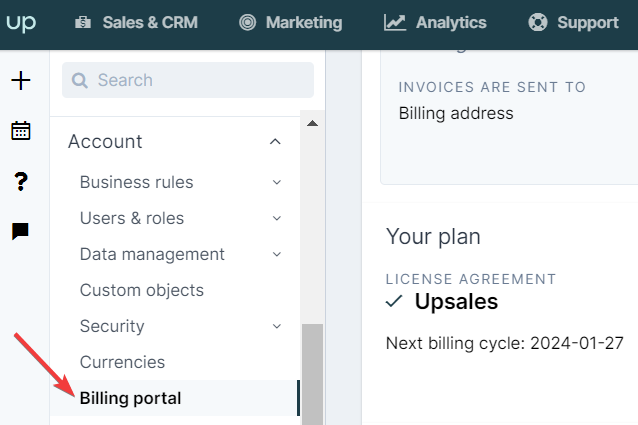
Go to Settings, then Account, then Billing portal.
-
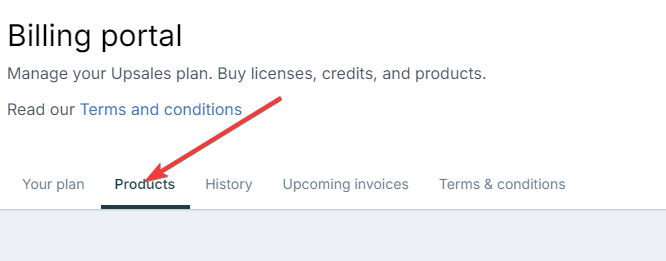
Select Products.
-
Activate the API.
-
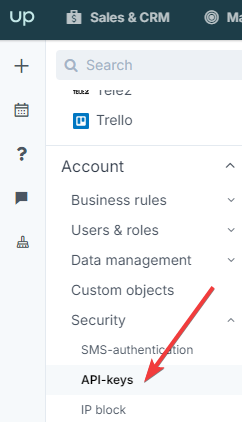
Go to Settings, then Account, then Security, then API keys.
-
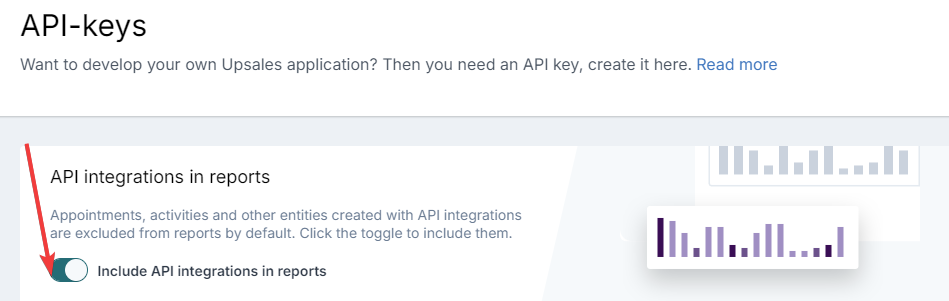
Select the toggle to include API integrations in your reports.
Create the API key
-
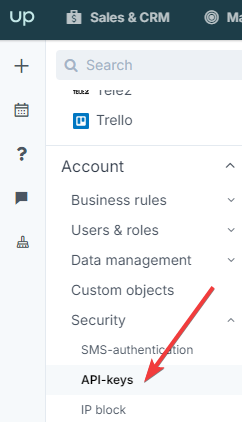
Go to Settings, then Account, then Security, then API keys.
-
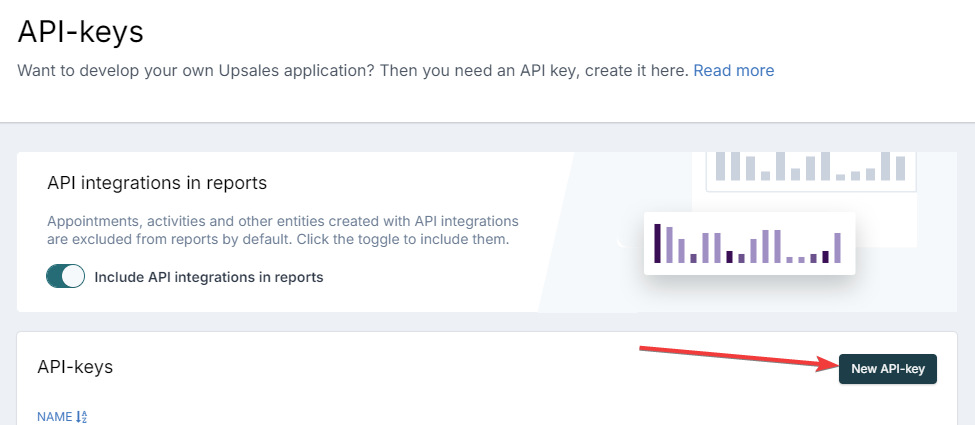
Select New API-key.
-
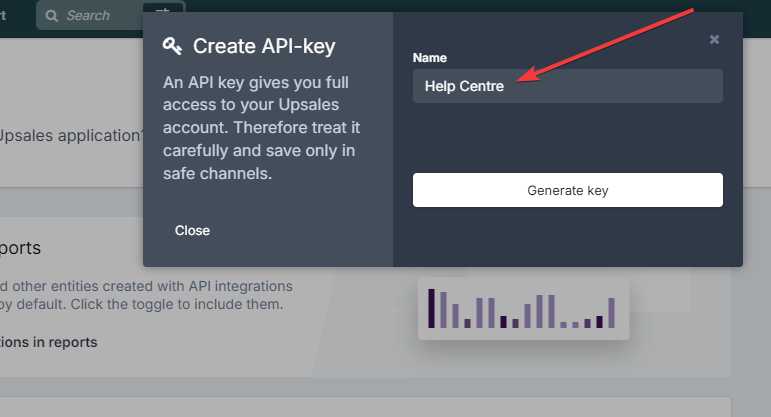
Enter a name.
-
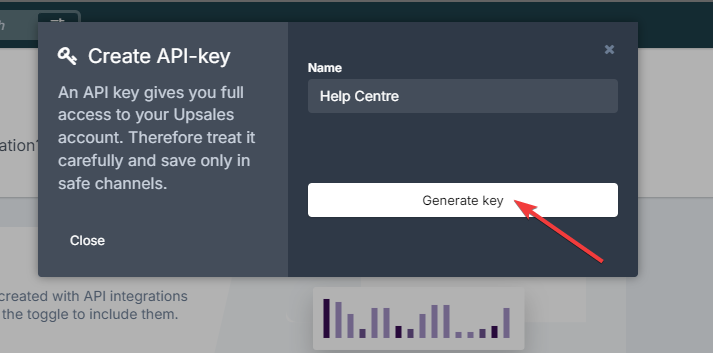
Select Generate key.
-
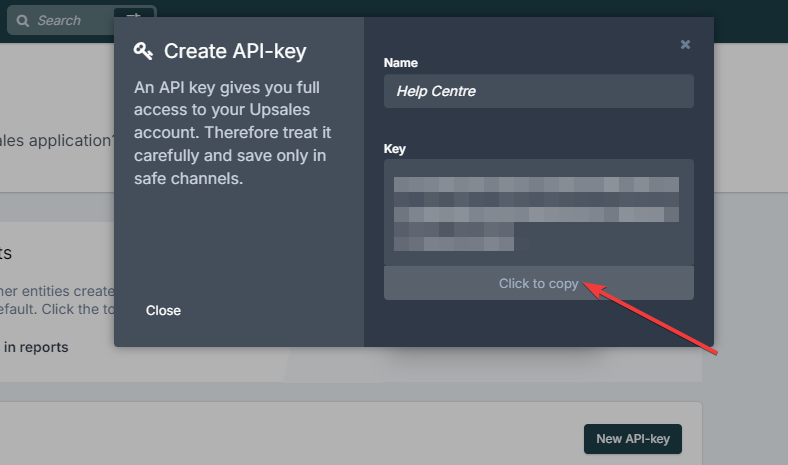
Select Click to copy and paste the key somewhere safe. Upsales shows the key only once.
Find your Upsales ID
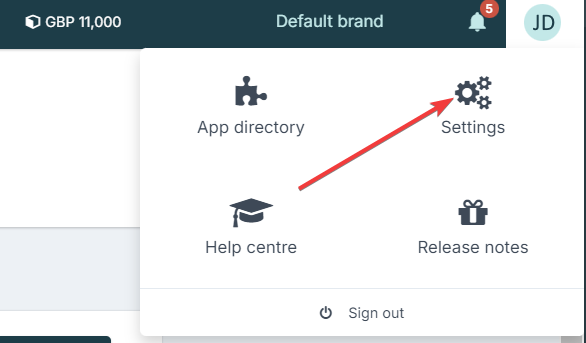
Sign in to Upsales and open Settings. Your Upsales ID is shown above the search bar.

Send the API key and the Upsales ID to your Dstny contact or to support@dstny.se.