

With VoIPcube, a call pop-up shows the contact from SuperOffice when someone calls you. Dstny connects VoIPcube to your SuperOffice for you. You do not need to change anything in SuperOffice.
What the pop-up shows
When the caller's number matches a contact in SuperOffice, the pop-up shows:
-
Company
-
Contact ID
-
Full name
-
Type
-
The phone number that matched
The pop-up also has a link that opens the contact page in SuperOffice.
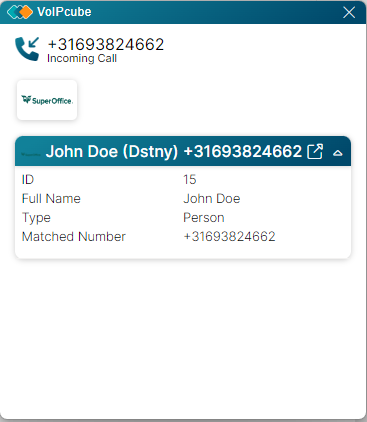
When the pop-up appears
The pop-up appears when a call comes in and the phone starts ringing.
How a caller is matched
VoIPcube looks for a contact in SuperOffice with the same phone number as the caller. To get a match, save the contact's number in SuperOffice.
Signing in
If VoIPcube asks you to sign in to SuperOffice, use your normal SuperOffice login.
What Dstny needs from you
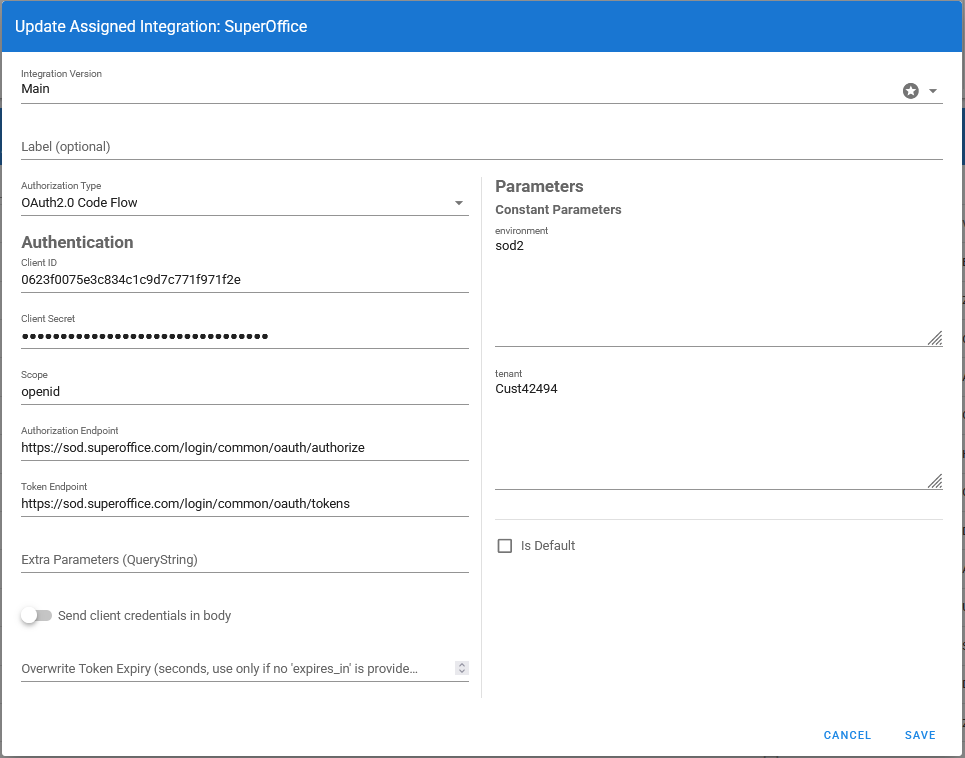
Dstny needs two values from your SuperOffice address:
-
The environment.
-
The tenant, which identifies your company.
You do not create anything in SuperOffice. The simplest way is to send Dstny the address you use to open SuperOffice, and Dstny reads the values from it. You can also find them yourself in the address:
-
The environment is the part before
superoffice.com. -
The tenant is the first part after
superoffice.com.

What this integration does not do
The integration does not save call notes or add calls to a timeline in SuperOffice.