

With VoIPcube, a call pop-up appears when someone calls you, with a link to the matching record in Efficy. Dstny connects VoIPcube to your Efficy for you.
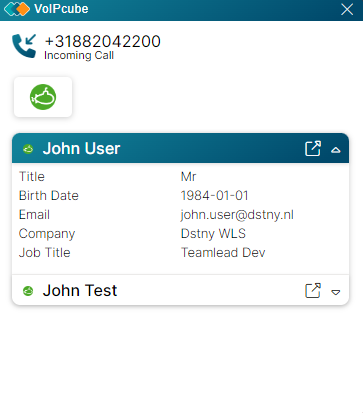
What the pop-up shows
The pop-up appears on incoming calls. It has a link that opens the matching record in Efficy.
What Dstny needs from you
Dstny needs two values:
-
The domain of your Efficy environment.
-
An API key for VoIPcube.
The domain
The domain is the address you use to sign in to Efficy, without https:// at the start and without /crm at the end. For example, dstny.efficytest.cloud.

The API key
An Efficy administrator creates the API key in Efficy Designer, at https://{domain}/designer.
-
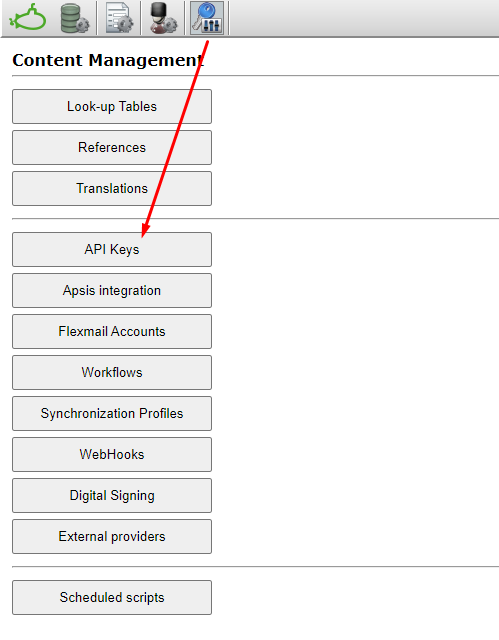
Select Keys, then API keys.
-
Select the + button in the top right corner.
-
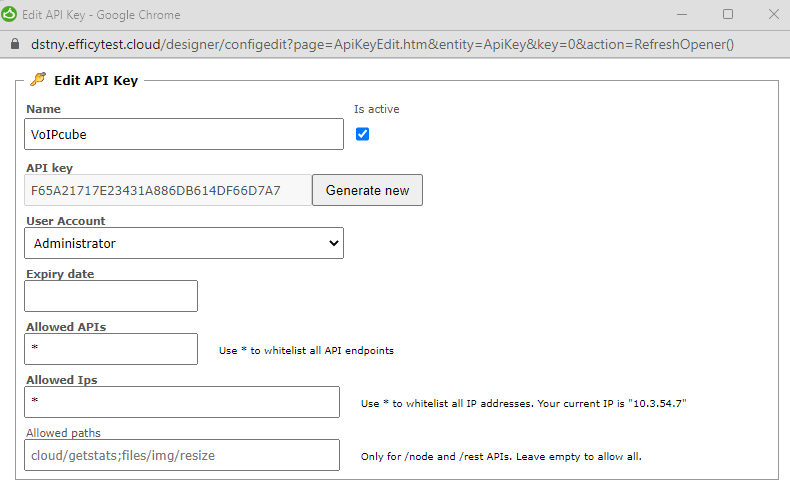
Fill in these details:
-
Name: VoIPcube.
-
User account: an account of your choice. It needs at least the rights to read and search contacts.
-
Expiry date: your choice. Set a reminder for the expiry date, because VoIPcube needs a new key after that.
-
Allowed APIs: allow all. If you restrict access by IP address, allow
18.192.184.52. -
Allowed path: leave empty so that all paths are allowed.
-
-
Select OK and copy the new API key.


Send the domain and the API key to your Dstny contact or to support@dstny.se.
What this integration does not do
The integration does not save call notes or add calls to a timeline in Efficy.