

The Queues tab lists the ACD (automatic call distribution) queues and attendant groups that you belong to or supervise.
Log in and out as an agent
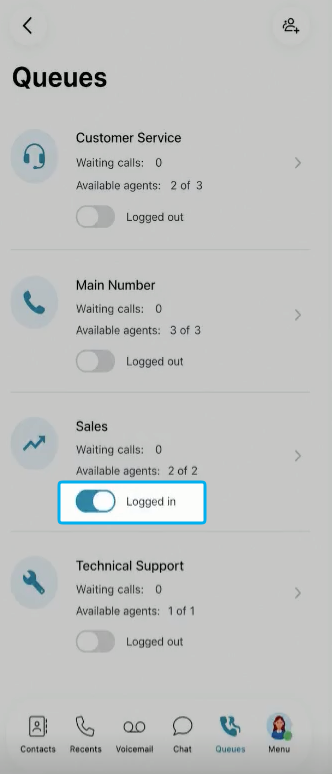
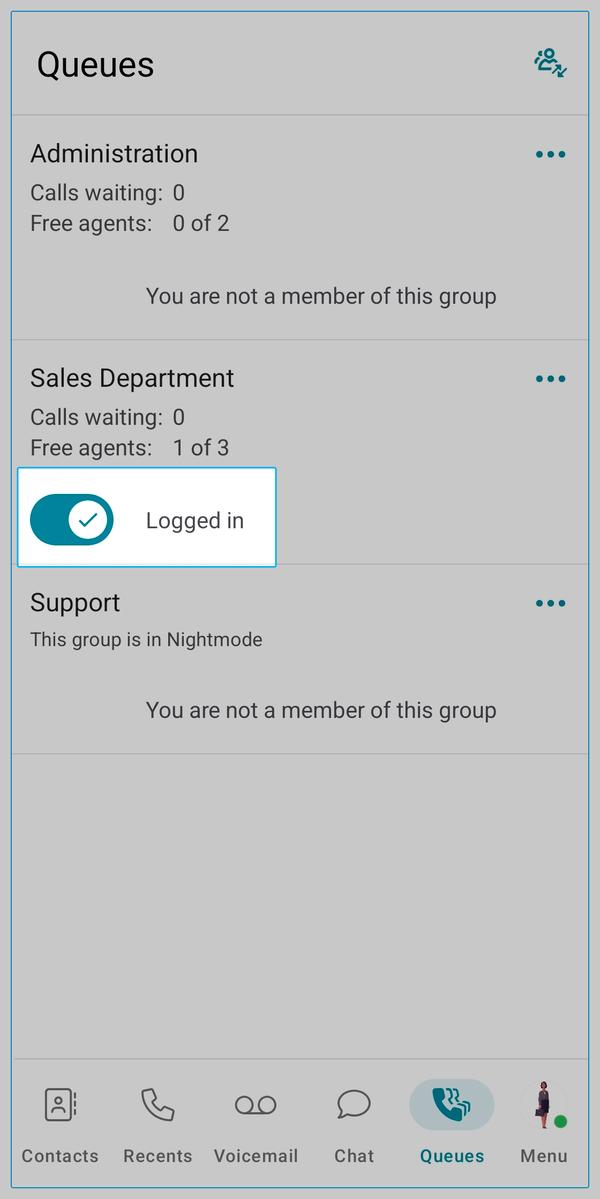
As an agent, you log in and out of your queues and attendant groups with the switch in each queue.
Manage agents as a supervisor
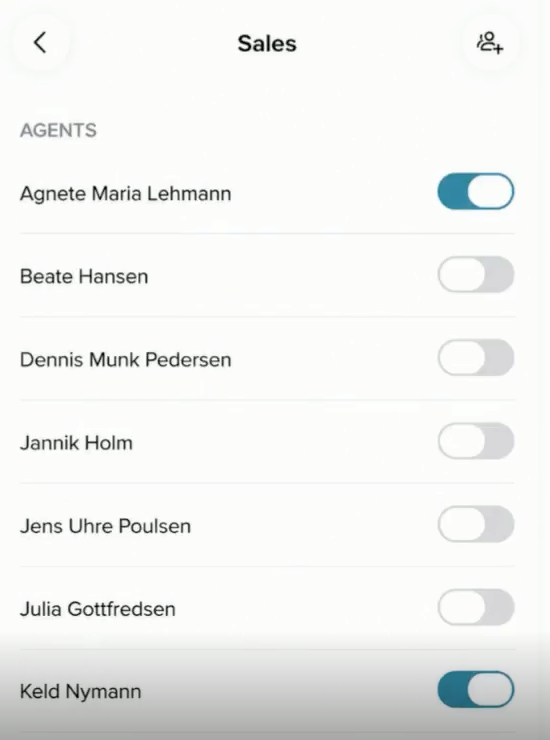
As a supervisor, you can log agents in and out of the groups you supervise.
-
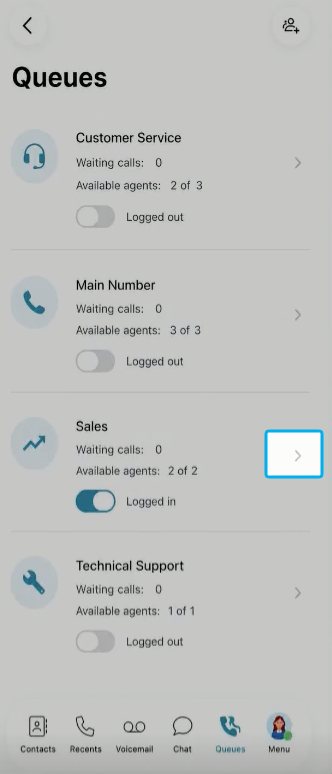
On iPhone, tap the arrow next to the queue. On Android, tap the three dots next to the group.
-
Choose the agent action you need.
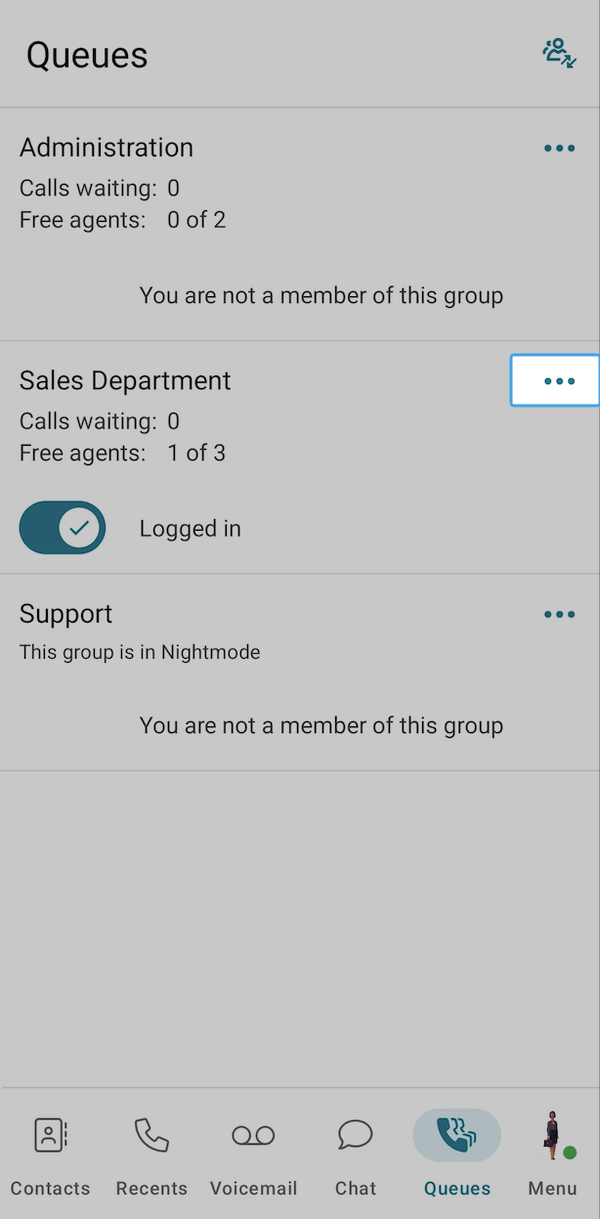
On Android you can also see basic statistics, such as the current queue length and the number of available agents.
Use the group log
The group log is part of the Queues tab. Tap the icon in the navigation bar to open it.
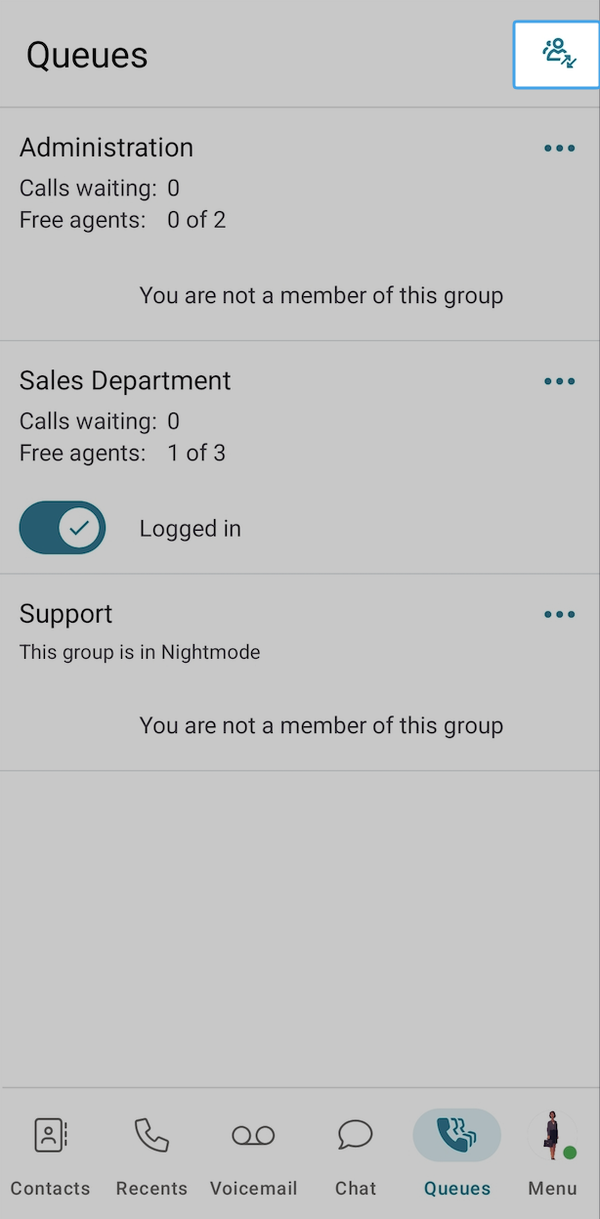
-
Filter by group, by call result, or both. The call results are All, Missed, Forwarded and Answered.
-
The list shows one entry per caller, group and call result. Tap the phone icon on an entry to call back.
-
Tap the arrow on the right of an entry to see more details. From there you can call back, add or edit notes, assign or unassign a missed call to yourself, and mark a missed call as complete. As a supervisor you can also assign a missed call to someone else.
Calls assigned to you appear at the top of the group log. Tap the arrow to see them.