

Internet calling (VoIP, Voice over Internet Protocol) lets you handle calls inside the Dstny app. With it turned on you can transfer calls, switch between two calls, record a call and start a group call without leaving the app. When you are connected, the bar on the left side of the screen turns blue.
Internet calling is not available on every account. Ask your administrator if you are unsure whether it is part of your setup.
Turn on internet calling
-
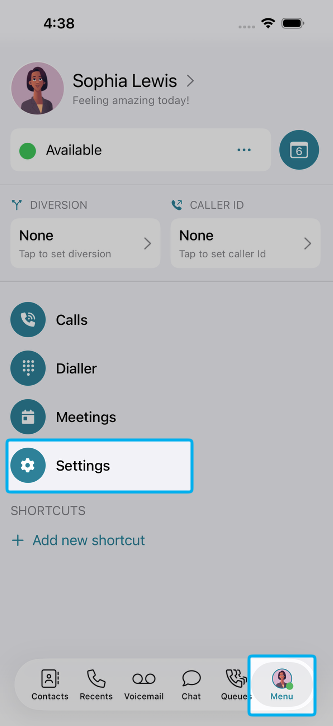
Open the Menu tab.
-
Tap Settings.
-
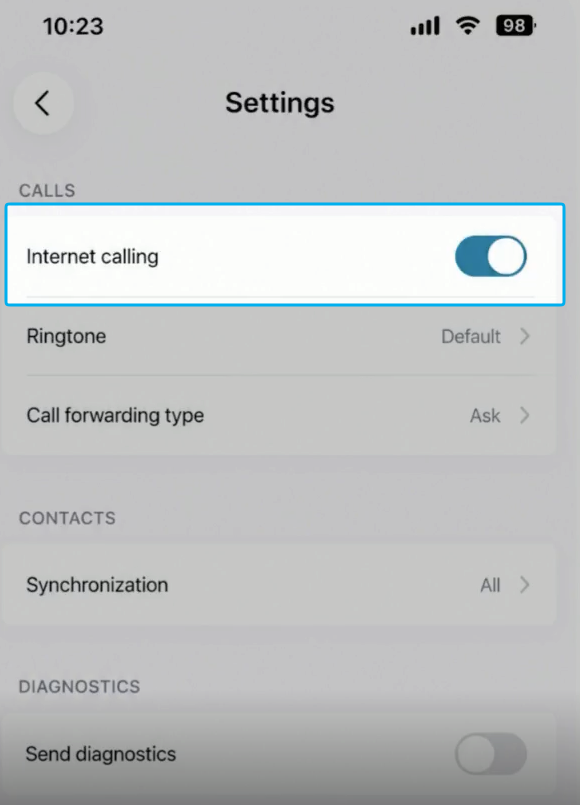
Turn on Internet calling.
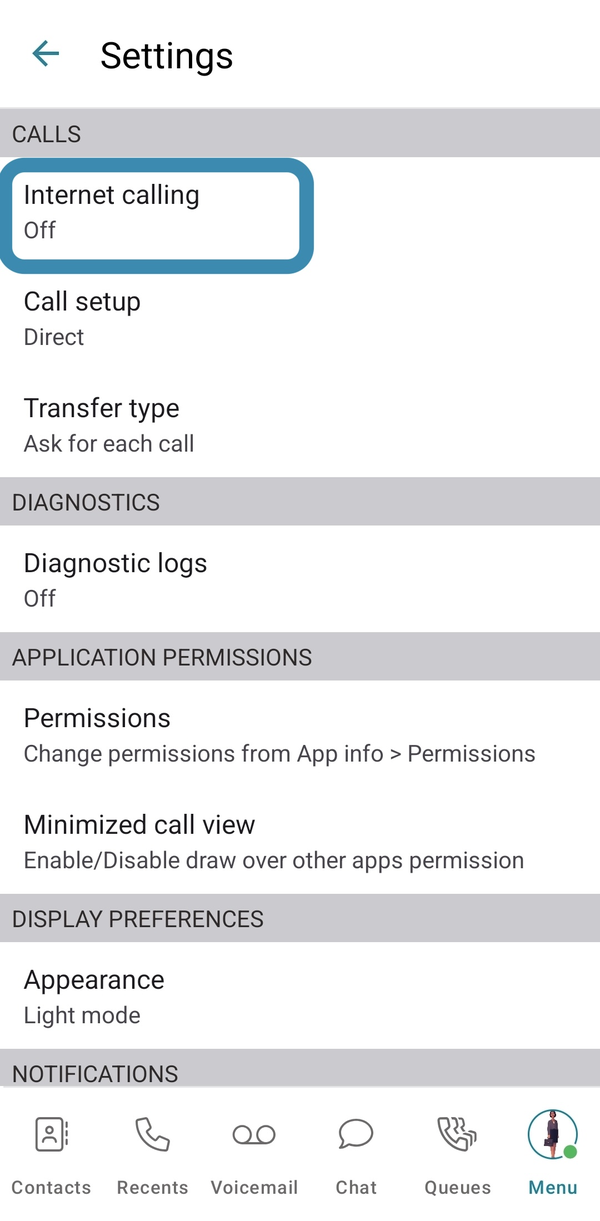
On Android you can also turn on Connection Service in the app settings for extra calling features. On iPhone, the app can place VoIP calls through Siri if your service supports it. Siri needs iOS 14.0 or later, access to your address book and Siri permission, and the screen must be unlocked before the call is placed, except in CarPlay.
Two calls and group calls
You can have up to two VoIP calls at the same time and switch between them by putting one on hold. You can merge calls into an ad hoc conference with up to 8 participants, including yourself.
Poor connections
On a weak connection, for example mobile data on 2G, calls may not connect or may behave in unexpected ways. You may not be able to answer a call through the app because the buttons do not respond, you may see two dialers at once (the phone's own and the app's), or missed call notifications may look wrong. This applies with a Dstny SIM and with an external SIM.