

Queue settings control what happens to a call that is waiting for an agent.
Edit queue settings
-
Open Organization setup > Call distribution groups.
-
Select the three dots menu for the group and choose Edit the settings for your group.
-
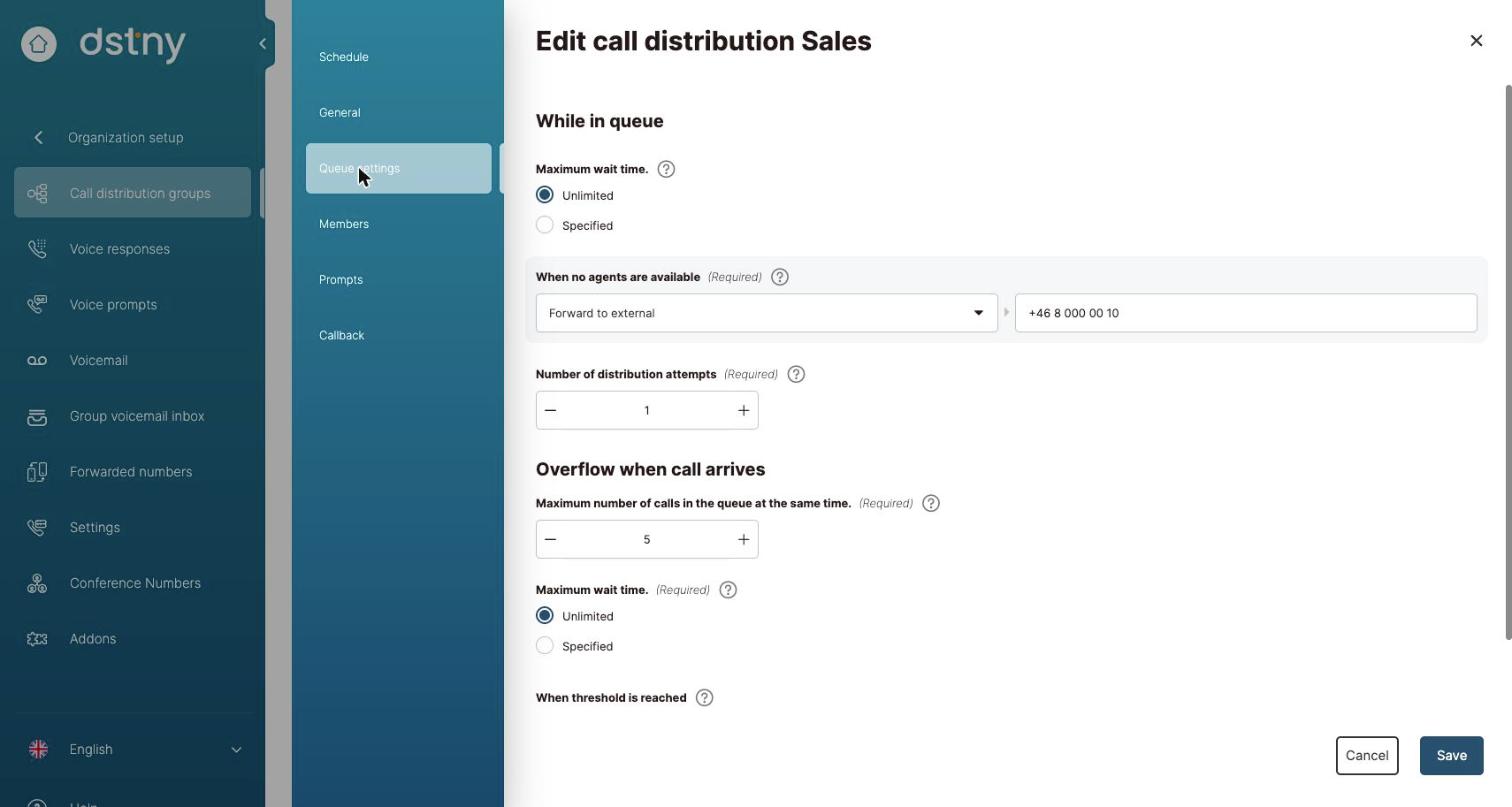
Open the Queue settings tab.
-
Change the settings:
-
While in queue: the maximum wait time before fallback, what happens when the call has waited too long, what happens when no agents are available, and the number of distribution attempts (the most calls to one agent).
-
Overflow when call arrives: the maximum number of calls in the queue at the same time, the maximum wait time, and what happens when the threshold is reached.
-
-
Select Save.
When a threshold is reached, the caller can be sent to another destination: a voice response, a user, or an external number. If Allow any forwarding destination is on, an external number does not need a leading plus sign.
Play a prompt when the queue is full
A short message sets expectations for the caller, for example that all agents are busy and they should call back later. It can also save callers from waiting when there is no service.
-
In While in queue or Overflow when call arrives, choose Forward to voice prompt.
-
Select Add new prompt and enter a name and a comment.
-
Select Add new language for each language you need.