

Members are the users who receive calls from an answer group. You choose how calls are distributed between them and who can supervise.
Add members
-
Open Organization setup > Call distribution groups.
-
Open the group and go to Members.
-
Add the users who should receive calls. New members start as agents.
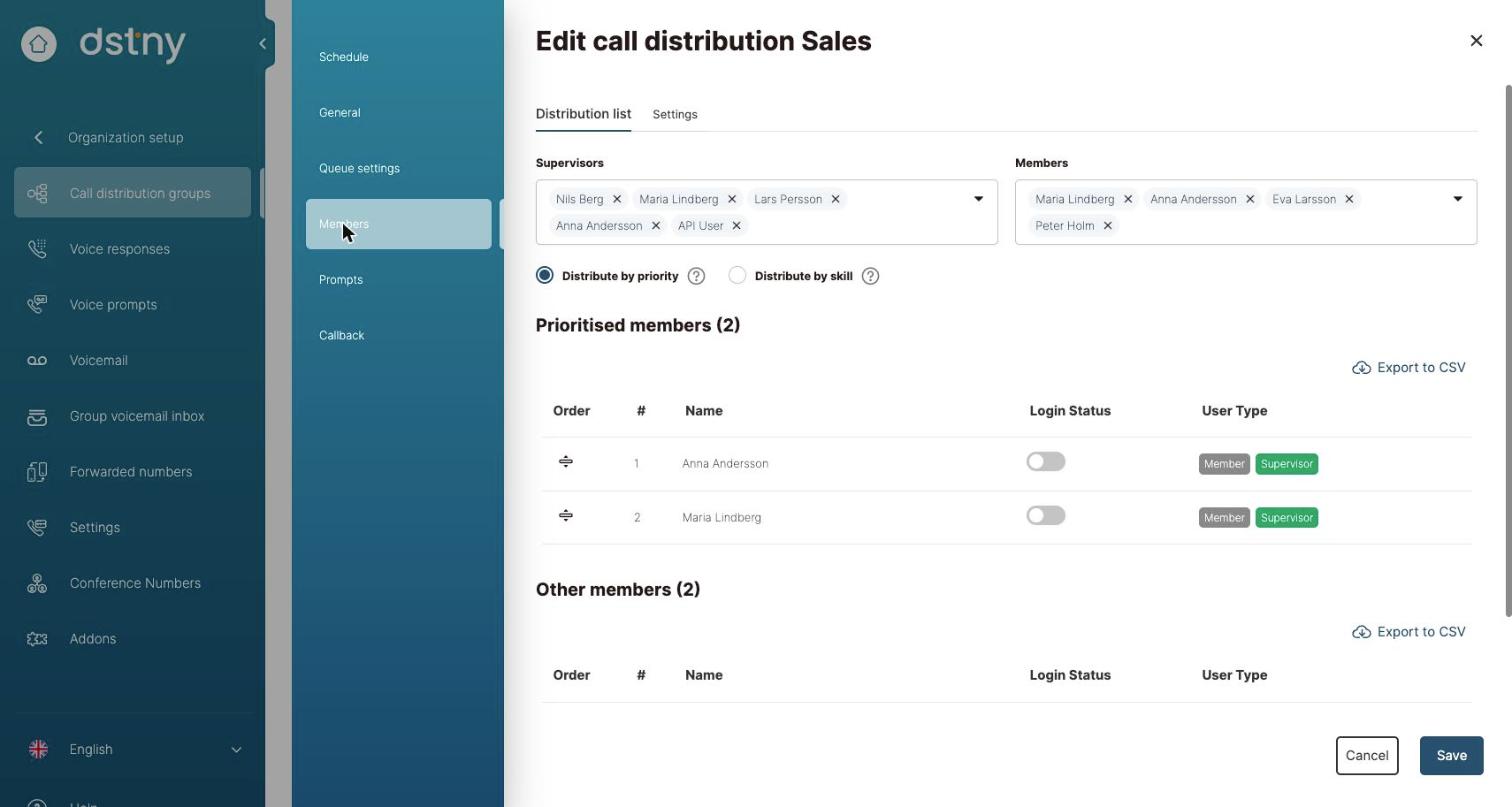
The Members view shows each member's status and lets you log agents in or out of the group.
Choose how calls are distributed
In the Distribution list tab, choose one of two methods:
-
Distribute by priority: members are set in a falling priority list.
-
Distribute by skill: members are given a skill level from 1 to 5.
Agents in Other members have no priority.
Add a supervisor
A supervisor can log agents in and out of the group.
-
Select the three dots menu next to the member.
-
Choose Add as Supervisor.
To make someone a supervisor only, add them as supervisor and then delete them as a member. To remove a person who is both, remove them as supervisor and as member.
Member settings
Open the Settings tab to set:
-
Enable Pickup, so members can pick up incoming calls to the group.
-
Use longest idle distribution, so that agents with equal skills are called in order of idle time. If it is off, calls go to a random agent. This needs Distribute by skill to be on.
-
Which devices agents are called on: softphone, mobile, SIP phone or external PBX.
-
Distribute after how many seconds, which is the time until a call counts as missed.
-
Number of concurrent agents being called when a slot is free.
-
Minimum resting time after a call, if agents need clerical time.
-
Maximum number of missed calls before an agent is put inactive.