

Basic reports are ready-made reports with a small set of columns that make sense together, such as incoming, answered and unanswered calls for each user or answer group. They are the quickest way to get call statistics out of Dstny Analytics.
Sign in
Go to reports.dstny.se and sign in. The first time you use a new account, you verify your email address and create a password. Look for a welcome email from noreply@dstny.se. If you need a new one, contact Dstny support at support@dstny.se or 010 410 50 00.
Run a report
-
Click Basic reports (Basrapporter) in the main menu, or use the shortcut on the start page.
-
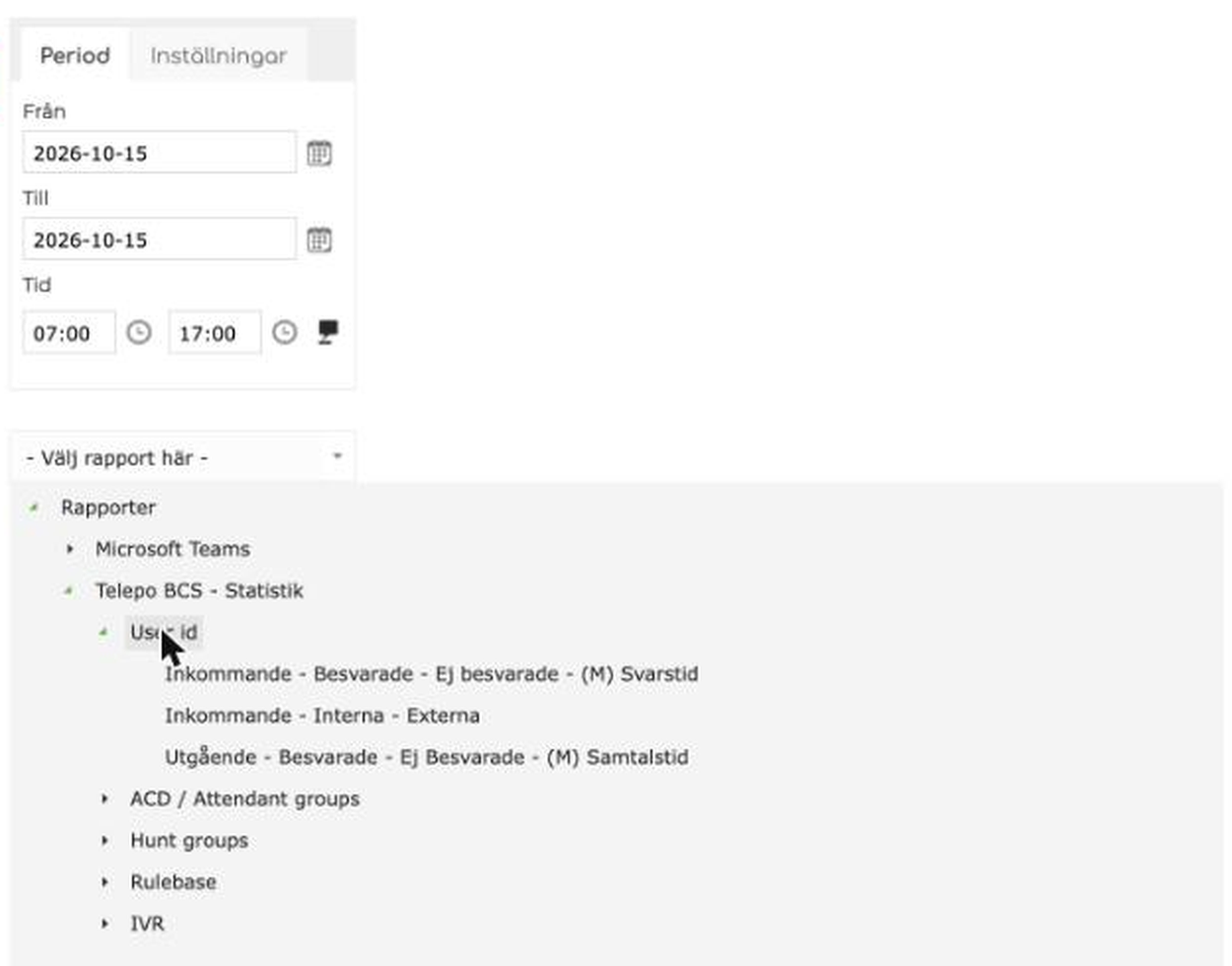
On the Period tab, choose the dates and the times of day you want to see.
-
On the Settings tab, choose the weekdays to include and the time format used in the report.
-
Open the Select report here (Välj rapport här) menu and choose a report. The list shows the report types available to your company. Telephony statistics are under Telepo BCS - Statistik, for example User id or ACD / Attendant groups, and Microsoft Teams reports have their own group.
-
On the Report content (Rapportinnehåll) tab, tick the users or answer groups you want. In a large organization, use Filter, for example Show only checked or Expand all.
-
Click Execute report (Bearbeta).
Read the result
You see all calls for the objects you chose, both as charts and in a table.
-
Use Report content to pick other users or groups without starting over.
-
Use the time grouping to change the breakdown, for example by hour or day. Basic reports are grouped by total, but you can break them down in any interval.
-
Set an interval for the report to update on its own.
-
Click a column header to see what the column shows and how to read the values.
Export or email a report
-
Open the Export (Exportera) tab.
-
Choose Excel or CSV.
-
Choose Save as file to download the report, or Send as mail to email it. To send it to several people, separate the addresses with commas.
An Excel export keeps the charts from the web view and is built for Excel filters and sorting.
Basic reports cannot be saved or scheduled. If you want reports sent to you automatically, you need Dstny Analytics Advanced.
Next steps