

This guide is for administrators of Call Recording. It gives an overview of the tools in the portal at recording.dstny.se.
Home
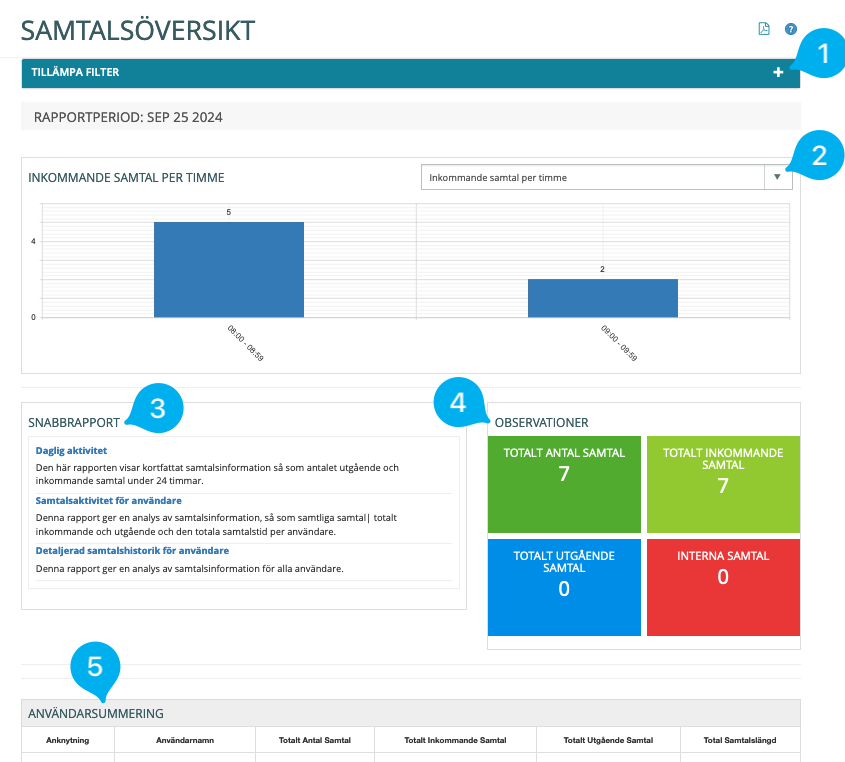
Home shows an overview of recorded calls. As an administrator you see all calls and detailed statistics. The numbers below match the numbers in the picture.
-
Apply Filters: choose the period to show.
-
Call type per hour: the drop-down above the chart sets which type of calls the hourly chart shows.
-
Quick Reports: open a ready-made report, such as daily activity, call activity per user or detailed call history. Reports can be exported as CSV or PDF.
-
Observations: the tiles show total calls, incoming calls, outgoing calls and internal calls for the period.
-
User summary: a table with one row per extension and user, showing total, incoming and outgoing calls and total call time.
Wallboards
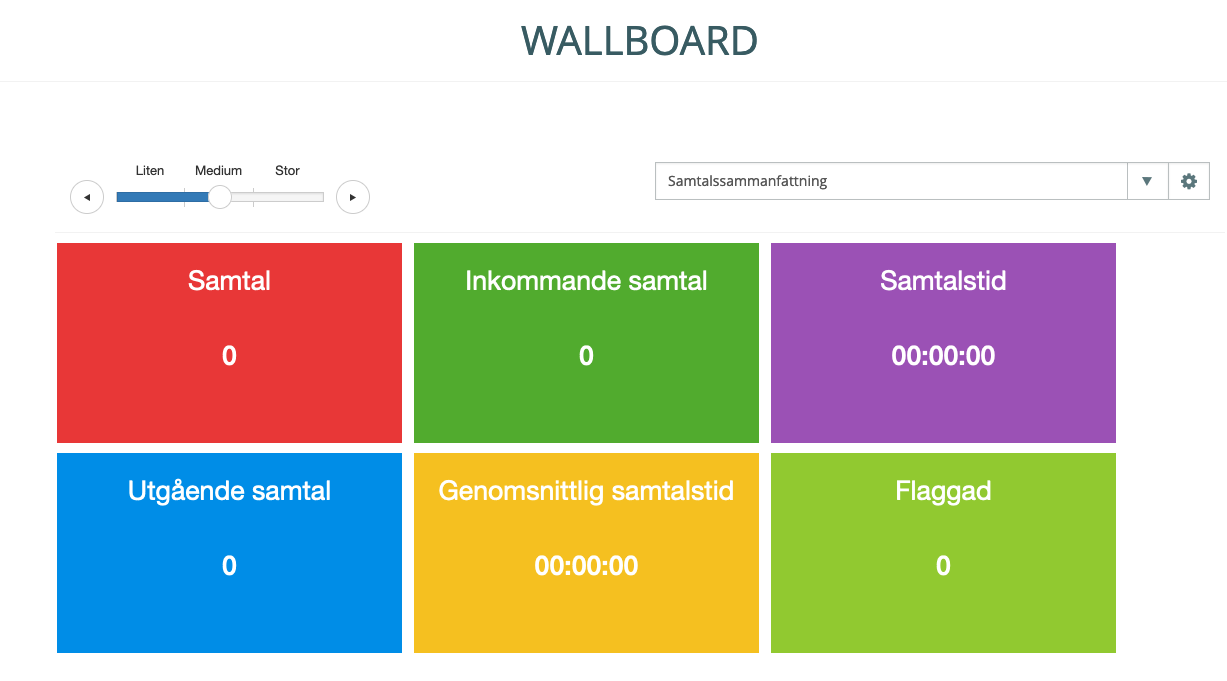
Three wallboards are ready to use, in different sizes.
|
Wallboard |
Shows |
|---|---|
|
Extension summary |
Call statistics per extension |
|
Company summary |
Totals for the whole company |
|
DDI summary |
Statistics per direct dial number series |
Call recordings
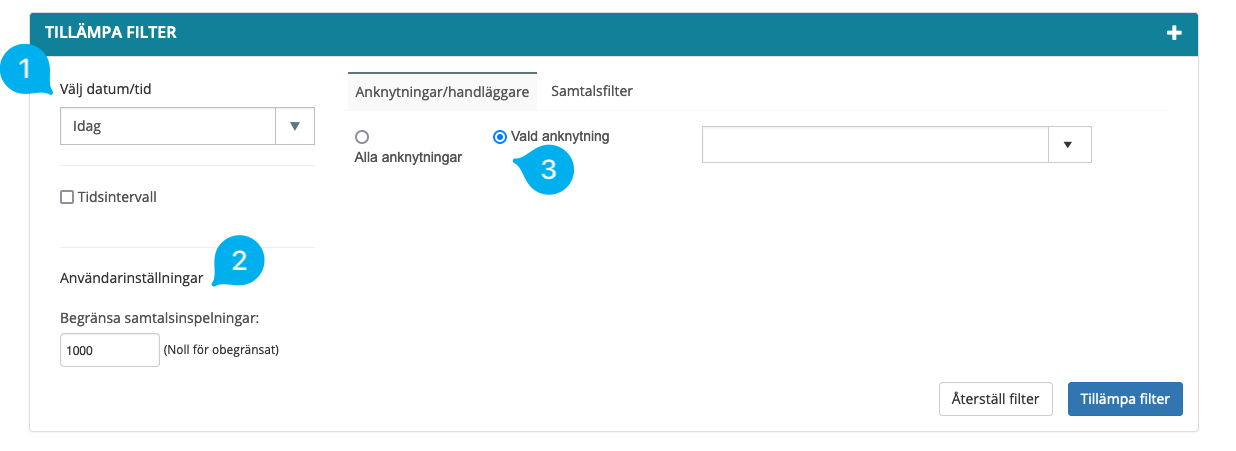
The Call Recordings view lists calls and lets you filter them. Open Apply Filters and use the options below. The numbers match the numbers in the pictures.
-
Date and time: show recordings from a chosen period.
-
Limit recordings: set how many calls the list shows. Enter 0 for no limit.
-
Extensions: show calls for all extensions, or choose a specific extension or user.
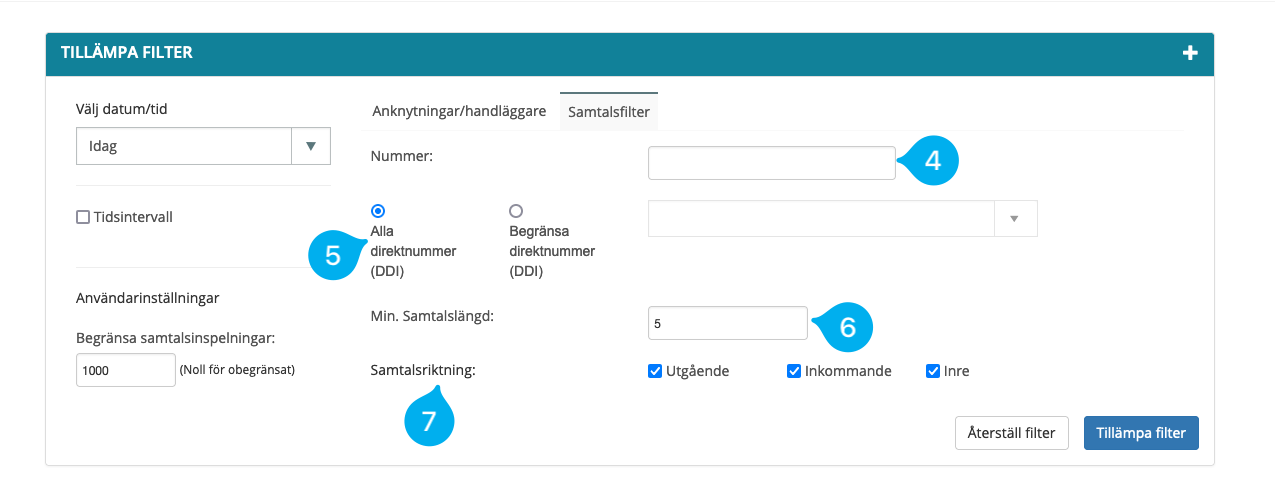
On the Call Filter tab:
-
Number: filter on a phone number.
-
Direct numbers (DDI): show calls for all direct numbers, or limit to specific ones.
-
Minimum call length: calls shorter than this, in seconds, are not listed.
-
Call direction: show outgoing, incoming or internal calls.
Configuration
|
Item |
Use it to |
|---|---|
|
Audit log |
See every change made in the portal |
|
Policy rules |
Control what is recorded and how long it is kept |
|
Delete recordings |
Delete single or multiple recordings |
|
Recording storage |
Choose Default, Azure, AWS, FTP, FTP/S or SFTP |
|
Playback review |
See who listened to which call, when and why |
See Call Recording policies and retention, Deleting recordings and handling data protection requests and Call Recording storage for details.
API
The Call Recording API is part of Call Recording Pro. Create tokens in the portal under Configuration, then Tokens. The steps are in The Call Recording API.