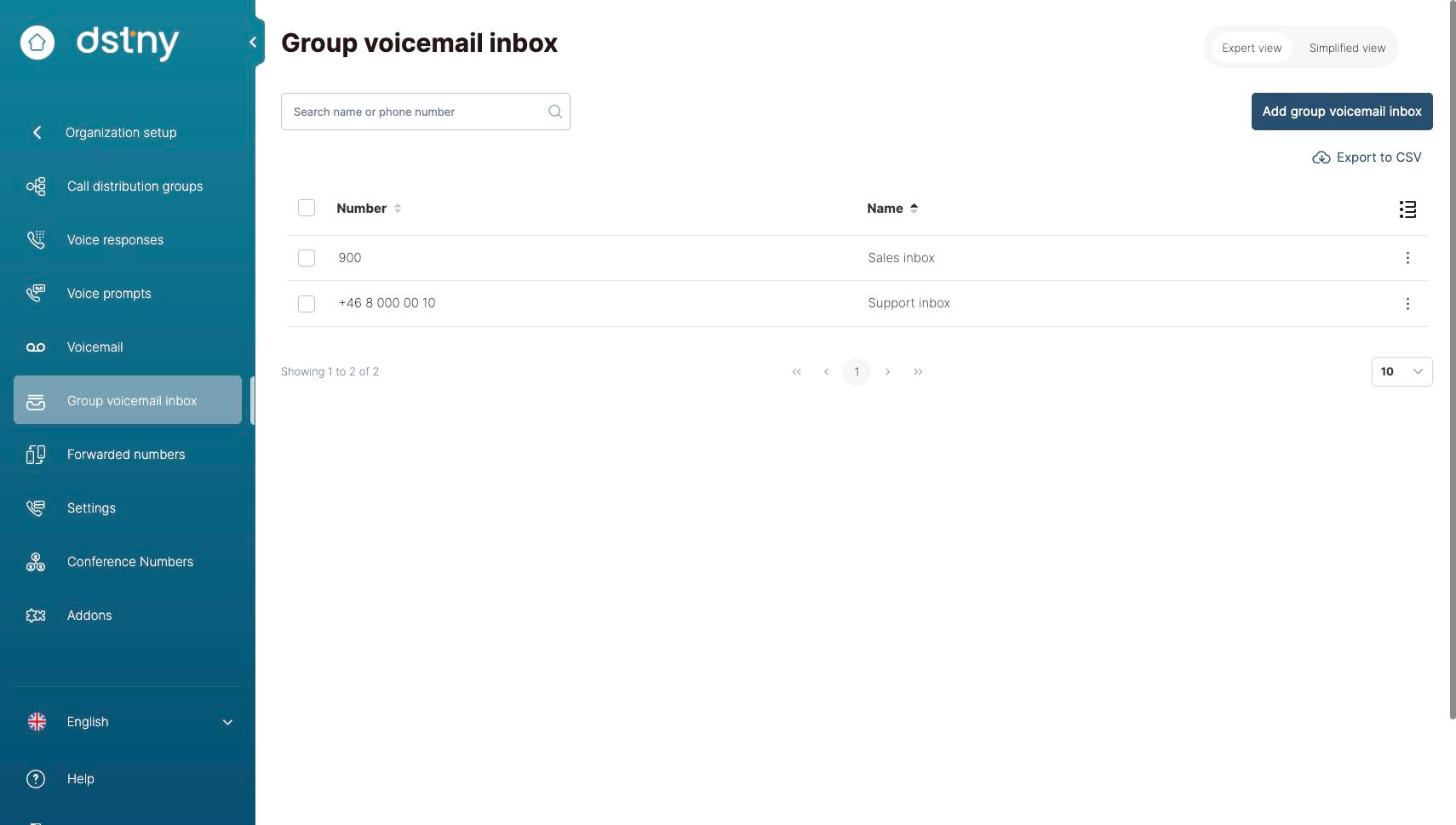
A group voicemail inbox lets a team handle messages together. Authorised team members can listen to messages from different devices and places, so fewer messages are missed.
Create a group voicemail inbox
-
Open Organization setup > Group voicemail inbox.
-
Select Add group voicemail inbox.
-
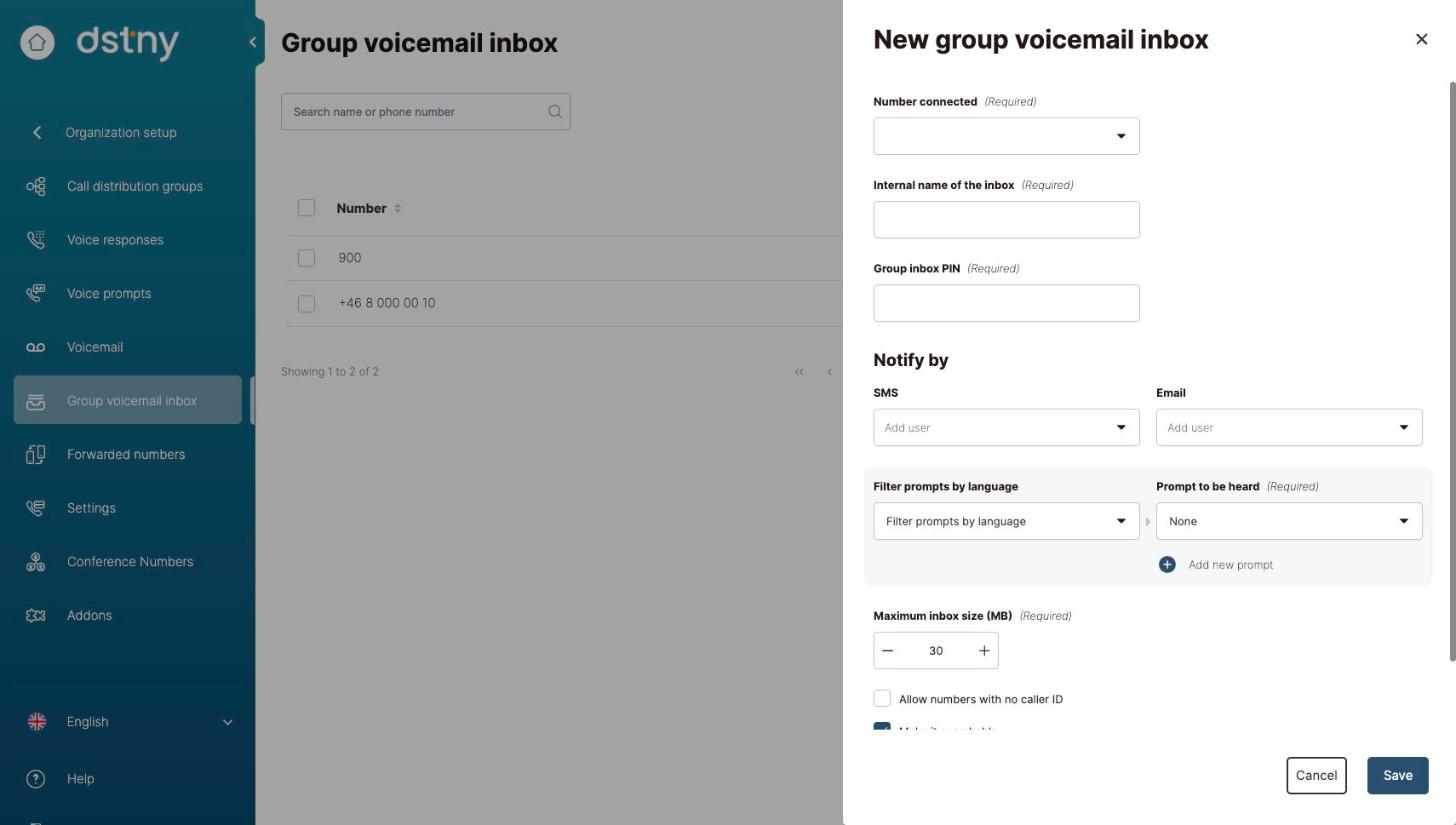
Fill in the fields:
-
Number connected: the number for the inbox.
-
Internal name of the inbox.
-
Group inbox PIN: a unique PIN used to listen to the messages.
-
Notify by SMS and Notify by email, with a slider for each.
-
Language for prompts, which filters the prompt list.
-
Prompt to be heard: the prompt callers hear.
-
Max inbox size in MB. The maximum is 30.
-
Allow numbers with no caller ID.
-
Make it searchable.
-
File attached, to add the audio file to the email.
-
Play oldest message first.
-
-
Select Save.
You can edit and remove inboxes in the same list. You only see this menu if you have the Group voicemail inbox permission under Function numbers.