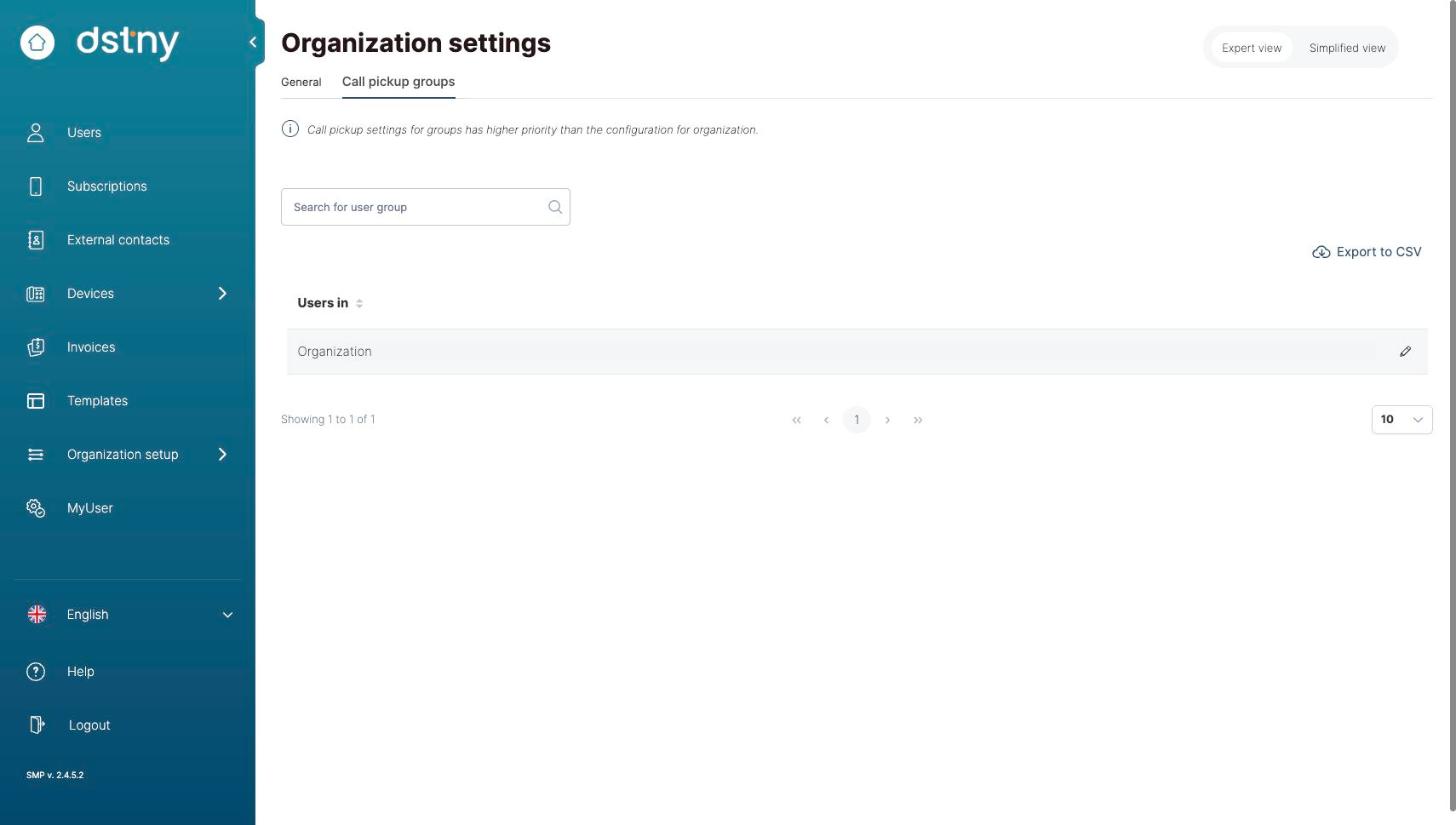
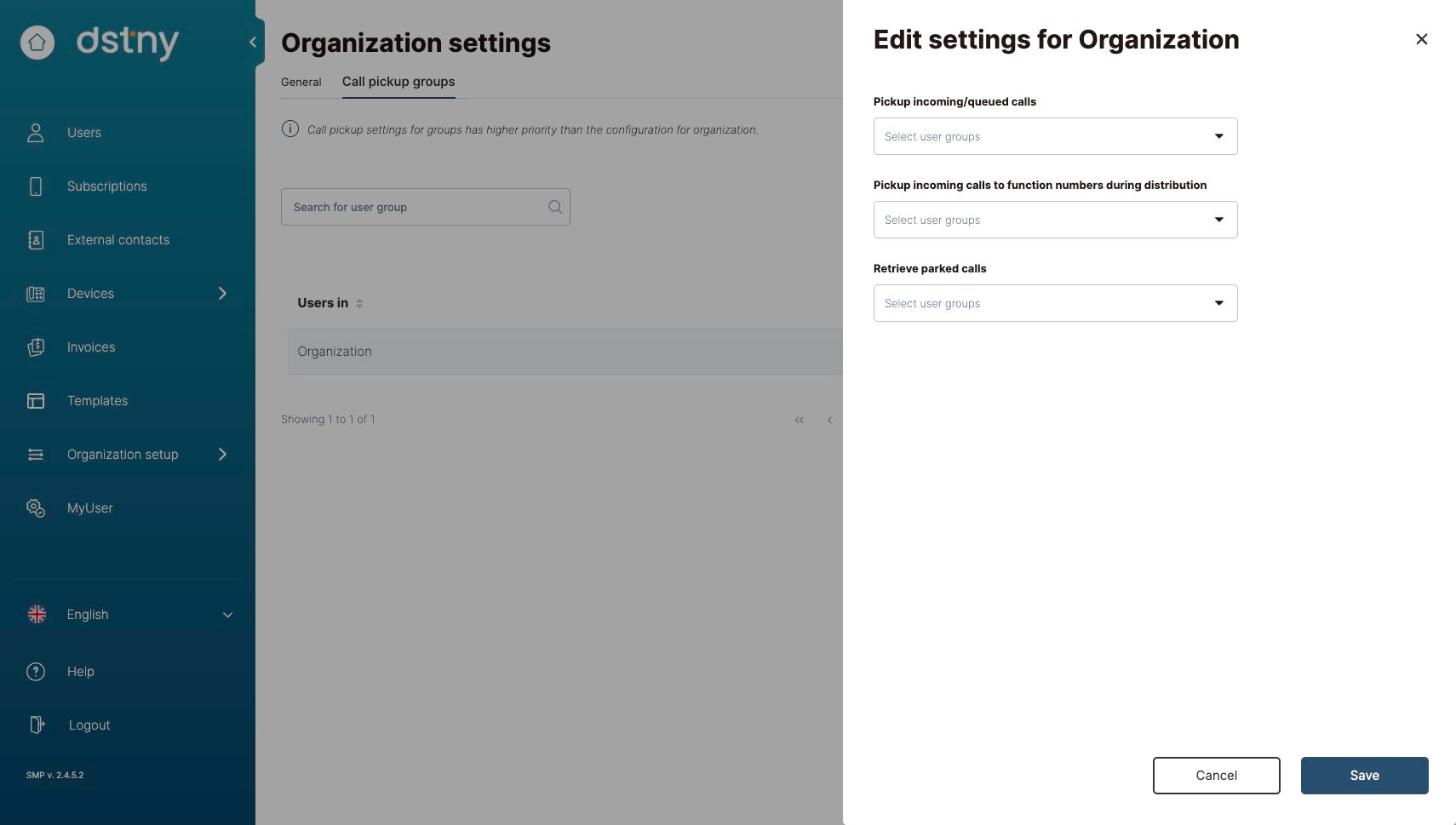
Organisation settings hold the default switchboard number and the call pickup groups. Open Organization setup > Settings.
Set the switchboard number
The switchboard number is the default caller ID of type Switchboard number. To set it for a single user, use Edit user instead.
-
Open Organization setup > Settings.
-
On the General tab, choose the Switchboard number from the list.
-
Choose the Organization default country.
-
Select Save.
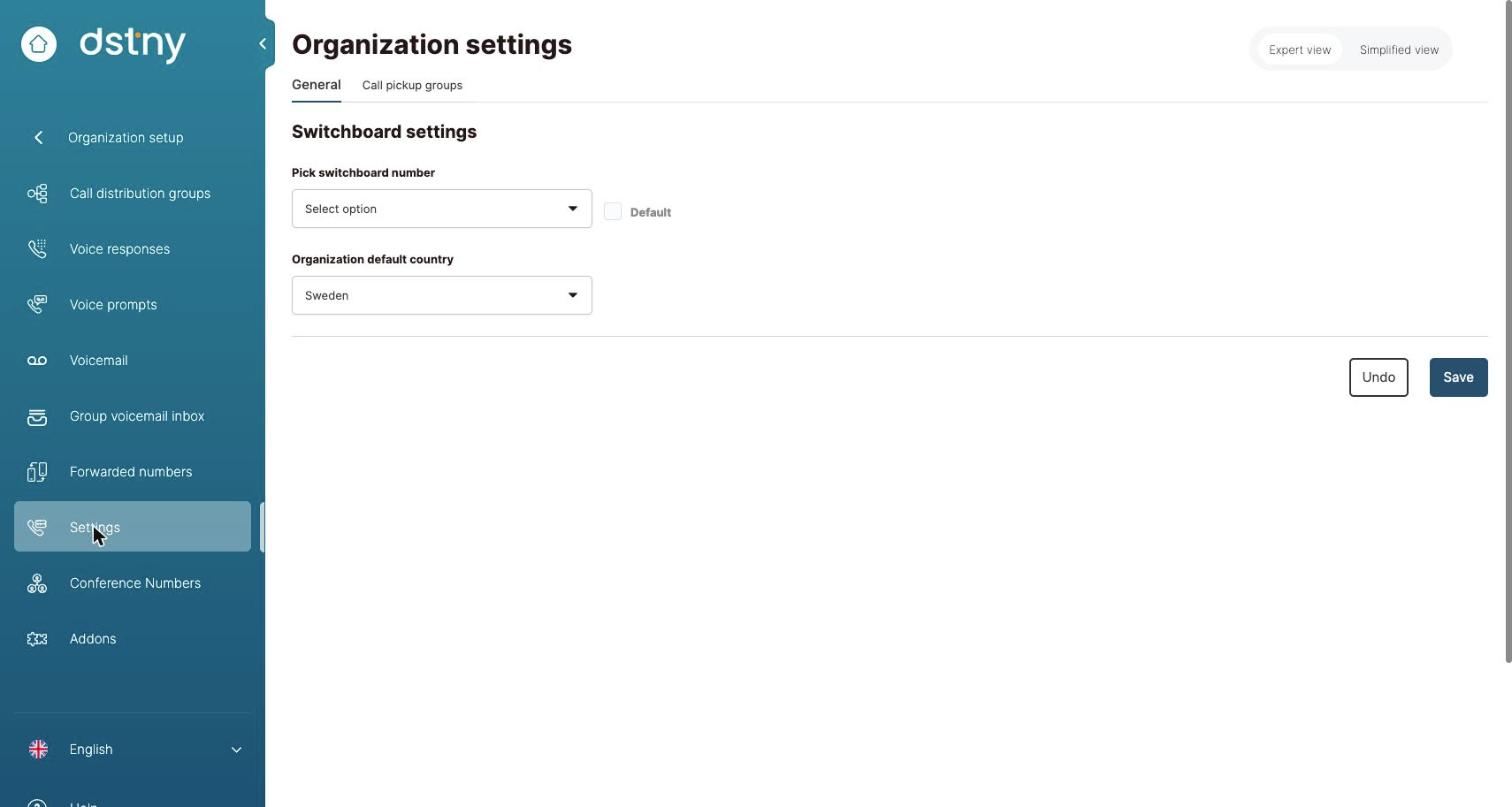
You only see this setting if you have the Switchboard line permission under the Organization tab.
Create a call pickup group
Call pickup lets members of a user group pick up incoming calls for each other. Settings are set at two levels, the organisation default and the user group, and users inherit them.
-
Open Organization setup > Settings.
-
On the Call pickup group tab, select Add user group.
-
Enter a name in User group name.
-
In Group permissions, choose what the group may do:
-
Pick up incoming and queued calls.
-
Pick up incoming calls to function numbers during distribution.
-
Retrieve parked calls.
-
Allow advanced call pickup. If you choose this, search for the user groups under Group members can also pick up from and select Add groups.
-
-
Check the users and their permissions, select Next and then Save.